 Gridforge
Design dense complex data tables in minutes. Ship production ready code. No handoff.
Stop losing hours to column and row tweaks. Even nested rows are simple to build and edit.

Stop endless re-prompting, build the first draft with AI in seconds then edit directly on the canvas.
Describe the table you need and get a real first draft in seconds. Then edit any row, column, or cell directly — no more burning through dozens of prompts to fine-tune.
Complex structures, easy to change
Build expandable rows, nested sub-items, and inline logic visually — then edit or adjust any part of it in seconds, no rebuilding required.
Intelligent Fill
Type one real value and the rest of the column completes itself. No more hand-typing 40 rows of placeholder data to see if a design actually holds up.
Real, production-ready export
What you design ships as actual HTML/CSS — not a mockup someone else has to translate into code.
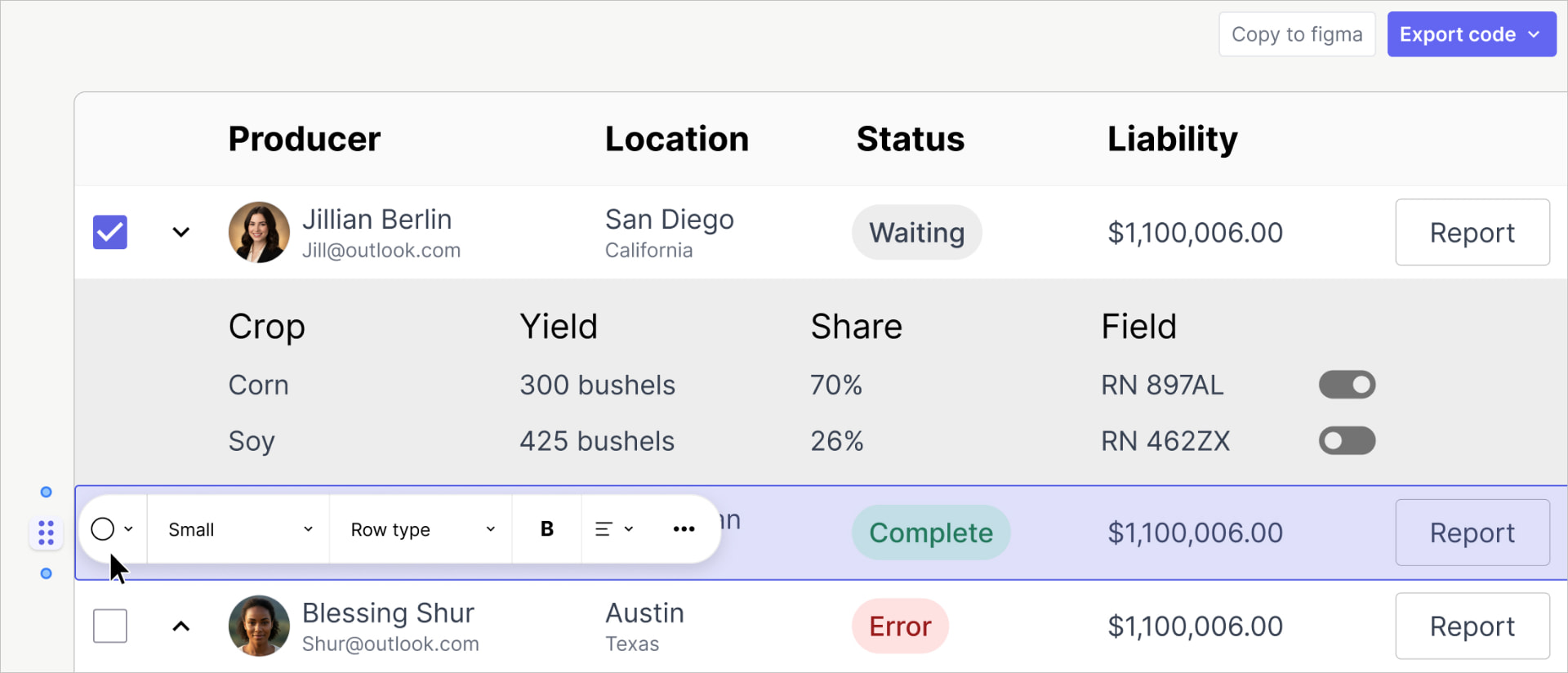
Why does every table editing decision feel like picking your poison?
- Build it row-based, and changing a column width means opening every row by hand.
- Build it column-based, and adding a row means the same thing in reverse.
- Add expandable rows — nested sub-items, inline dropdowns per cell, status badges that shift per row, a totals footer that has to stay in sync — and whichever tradeoff you picked gets worse.
- Swap a cell from plain text to an input field and the row height quietly changes on you.
- Try to duplicate a row, and it's a manual rebuild.
- Want to freeze the header while you scroll? That's a workaround, not a feature.
None of this is a skill problem. It's a structural one — most design tools were built for static shapes, not structured, stateful data.
Gridforge is a visual table builder for designers working on data-heavy products. Agtech, medtech, insurance, inventory. End your nested row design nightmares now.
Design it visually. Ship real production ready code. No handoff, no rebuild.
Get started in three steps
Create an account
Free to start, no setup required.
Draft from a template, AI, or start from scratch
Begin with a ready-made table structure, an AI prompt, or build your own from an empty canvas.
Export production-ready code
Copy or download HTML/CSS, JSON, or react that's ready to hand to engineering, no translation step.
Frequently asked questions
Plugins and component libraries still work inside a canvas that wasn't built for structured data — you're still hand-managing row/column tradeoffs, expandable states, and resizing. Gridforge outputs the real table: production code, not a canvas element that has to be rebuilt in code later.